
Monthly SEO Reporting Template for Clients (That They Actually Read)
Every agency owner knows the feeling. You spend hours pulling numbers from five different tools, paste them into a slide deck, and send it off, only for the client to reply, “So, is this working?” A solid monthly SEO reporting template fixes that problem. It turns scattered data into a clear story: what happened, why it happened, and what you will do next.
In this guide, we will walk through a complete monthly SEO reporting template you can copy, adapt, and send to clients this week. You will get the exact sections, the metrics worth tracking, tool recommendations, and the mistakes that quietly destroy client trust.
Why Your Agency Needs a Monthly SEO Reporting Template
Clients do not hire you to produce reports. They hire you for growth. But reports are the only proof of progress they see on a regular basis. Without a repeatable monthly SEO reporting template, every report looks different, important numbers get missed, and you waste billable hours rebuilding the same document from scratch.
A consistent format gives you three clear advantages:
- Trust: Clients see the same structure every month, so they learn where to look and what “good” looks like.
- Speed: Once your monthly SEO reporting template is built, a report takes minutes to refresh instead of hours to design.
- Retention: Agencies that communicate results clearly tend to keep clients longer, because the value of the work is never a mystery.
SEO is a slow channel. Results often take three to six months to show up, which means the client relationship depends heavily on communication. Your report is that communication.
What Makes a Client SEO Report Actually Useful
Before we build the monthly SEO reporting template, let us agree on what a good report looks like. Most clients are business owners or marketing managers, not SEO specialists. They care about leads, sales, and visibility. They do not care how many crawl errors you fixed unless it connects to money.
Keep these principles in mind as you adopt any monthly SEO reporting template:
- Lead with the outcome, not the activity. “Organic leads grew 18%” beats “we published four blog posts.”
- Compare against something. Always show month-over-month and year-over-year changes so seasonality does not fool anyone.
- Explain the why. A number without context creates questions. A number with one sentence of explanation creates confidence.
- Be honest about drops. Hiding a decline damages trust far more than explaining it.
- End with a plan. Every report should answer, “What happens next month?”
The 8 Sections of a Powerful Monthly SEO Reporting Template
Here is the structure we recommend for your monthly SEO reporting template. Each section answers one question the client is silently asking.
1. Executive Summary
This is the most important page of your monthly SEO reporting template, because many clients will read nothing else. Keep it to five or six lines. Include the headline win, the headline problem, the single most important metric, and the focus for next month.
For example: “Organic traffic grew 12% compared to last month, driven by the new service-page updates. Rankings for two high-value terms slipped, and we have a plan to recover them. Next month we will focus on local landing pages.”
2. Organic Traffic and Engagement
Pull this data from Google Analytics 4. Show total organic sessions, new users, engagement rate, and average engagement time. Add a simple line chart covering the past 12 months so the client can see the trend, not just a single month.
Segment organic traffic by landing page type (blog, service pages, product pages). This tells you which part of the site is carrying the results, and it makes your monthly SEO reporting template far more insightful than a generic traffic chart.
3. Keyword Rankings and Visibility
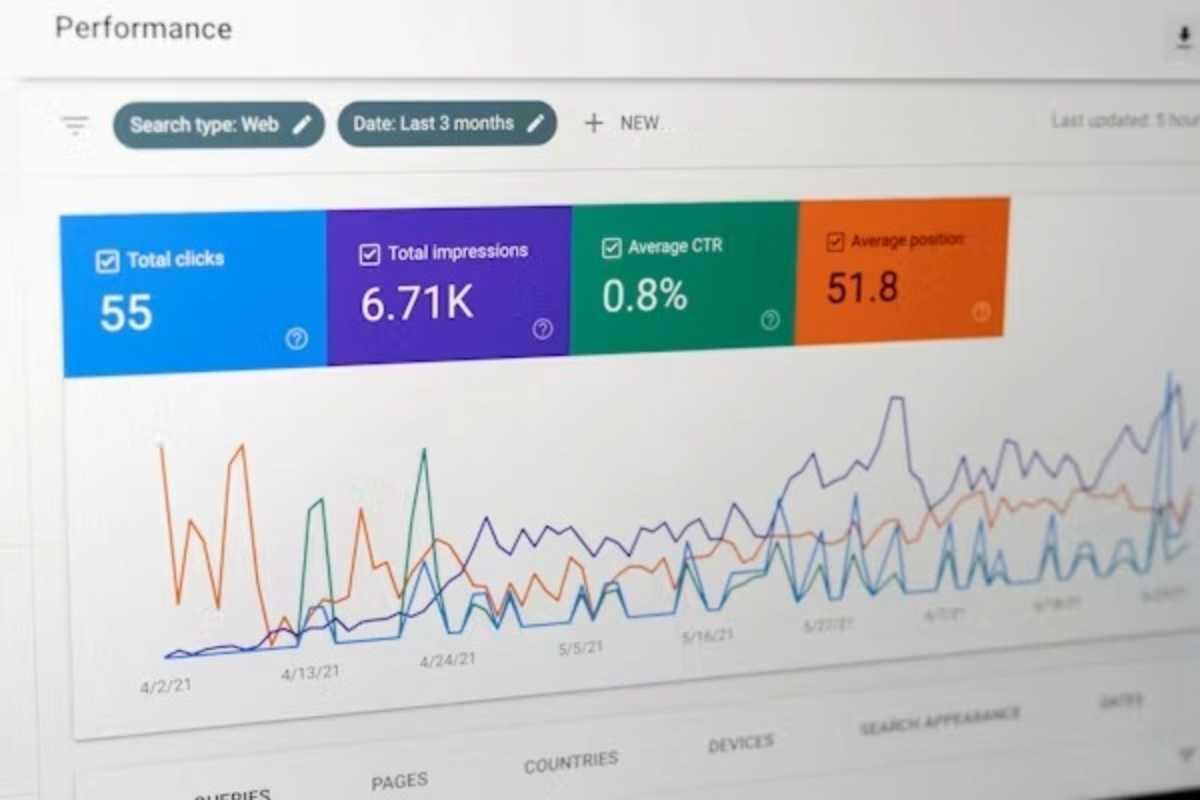
Use Google Search Console for impressions, clicks, click-through rate, and average position. Pair it with a rank tracker such as Semrush or Ahrefs for a specific list of target keywords. Highlight three things:
- Keywords that moved into the top 3 or top 10
- Keywords that dropped significantly
- New keywords the site started ranking for
Avoid dumping 500 keywords into the report. Choose 15 to 25 priority terms tied to business goals and group them by theme.
4. Conversions and Revenue Impact
This section is where your monthly SEO reporting template earns its keep. Show form submissions, phone calls, purchases, or whatever the client counts as a win, and attribute them to organic search. If the client sells products, include revenue from organic traffic. If they sell services, estimate lead value using their average close rate.
If conversion tracking is not set up properly, fix that first. A report without conversion data is just a traffic report.
5. Technical Health
Summarize the site audit in plain language. Report the number of critical issues found, the number fixed, and the number remaining. Include Core Web Vitals, indexing status, and any crawl errors that matter.
Use a simple traffic-light system: green for healthy, amber for watch, red for urgent. Clients understand colors faster than error codes.
6. Backlink Profile
Track new referring domains, lost referring domains, and the quality of links gained. Mention two or three standout links, such as a feature on a respected industry website. Quality matters more than volume, so avoid celebrating hundreds of low-value links.
7. Content Performance
List new pages published, existing pages refreshed, and the top five organic landing pages for the month. For each top performer, note its traffic and conversions. This helps the client understand which topics deserve more investment.
8. Work Completed and Next Month’s Plan
Close your monthly SEO reporting template with a short two-column list: what we did this month, and what we will do next month. Tie every task to a goal. If a task requires client input, such as approving content or granting access, flag it clearly so nothing stalls.
Key Metrics to Include in Every Report
Not every metric deserves a place in your monthly SEO reporting template. Here is a quick reference of SEO KPIs that belong in most client reports.
| Category | Metric | Where to Find It |
|---|---|---|
| Traffic | Organic sessions, new users | Google Analytics 4 |
| Visibility | Impressions, clicks, CTR, average position | Google Search Console |
| Rankings | Target keyword positions | Semrush, Ahrefs |
| Conversions | Leads, sales, revenue from organic | GA4, CRM |
| Technical | Core Web Vitals, indexed pages | Search Console, PageSpeed Insights |
| Authority | Referring domains, domain rating | Ahrefs, Semrush |
Remember that the right mix depends on the client. An ecommerce store needs revenue and product-page data. A local business needs calls, direction requests, and map visibility. Customize your monthly SEO reporting template to match the business model.
Best Tools for Building a Monthly SEO Reporting Template
You do not need expensive software to launch a monthly SEO reporting template, but the right tool can cut reporting time dramatically. Here is how the most popular options compare.
| Tool | Best For | Starting Price | Strength |
|---|---|---|---|
| Looker Studio | Custom dashboards | Free | Flexible, connects to GA4 and Search Console |
| AgencyAnalytics | Agencies with many clients | Paid, per-client pricing | White-label reports, automated delivery |
| DashThis | Quick, clean dashboards | Paid, tiered plans | Easy setup, many integrations |
| Semrush My Reports | Agencies already using Semrush | Included with paid plans | Combines rankings, audits, and backlinks |
| Ahrefs | Backlink and ranking data | Paid, tiered plans | Strong link database and rank tracking |
Pricing changes often, so check each provider’s website before you commit. For most small agencies, a free Looker Studio dashboard connected to Google Analytics 4 and Google Search Console is the best starting point for a monthly SEO reporting template.
Pros and Cons of a Standard Monthly SEO Reporting Template
Pros
- Saves hours every month once it is set up
- Makes your agency look organized and professional
- Makes month-to-month comparison easy for clients
- Helps new team members produce reports without guessing
Cons
- Can feel generic if you never customize it per client
- Automated dashboards may hide the story behind the numbers
- Needs regular updates when tools or metrics change
The fix for every con is the same: add a short written commentary to each report. Automation handles the data, and you handle the meaning.
Common Mistakes That Ruin SEO Reports
Even a well-designed monthly SEO reporting template can fail if you fall into these traps.
Reporting vanity metrics. Impressions and rankings feel good, but if leads are flat, the client will notice. Always connect visibility to business outcomes.
Using too much jargon. Terms like “canonicalization” or “crawl budget” mean nothing to most clients. Translate everything into plain English.
Sending the report without a conversation. A PDF alone is easy to ignore. Schedule a 20-minute call each month, or at least record a short video walkthrough.
Overloading the page. If your report is 40 pages long, nobody reads it. A strong monthly SEO reporting template is usually five to eight pages.
Ignoring goals. If you never revisit the targets you set at the start, the report loses direction. Review goals every quarter.
How to Deliver Your Report Like a Professional
Delivery matters as much as design when you send any monthly SEO reporting template to a client. Send the report on the same day every month, ideally within the first week, so clients expect it. Write a short email summary with the top two wins and one challenge. Attach the full report, and invite questions.
On your monthly call, spend the first five minutes on results, the next five on problems, and the last ten on strategy. Clients value this rhythm because it proves you are thinking ahead, not just reporting the past.
A Simple Copy-and-Paste Outline
If you want to start today, use this outline as your monthly SEO reporting template:
- Executive summary (five lines)
- Organic traffic and engagement (12-month trend)
- Keyword rankings and Search Console highlights
- Conversions and revenue from organic search
- Technical health (traffic-light summary)
- Backlink wins and losses
- Top-performing content
- Work completed and next month’s plan
Build this monthly SEO reporting template once in Looker Studio or your preferred platform, duplicate it for each client, and update the commentary every month. Within two or three cycles, you will have a smooth reporting process that saves time and impresses clients.
Frequently Asked Questions
What should a monthly SEO report include?
A good report includes an executive summary, organic traffic, keyword rankings, conversions, technical health, backlinks, content performance, and a plan for next month. Every monthly SEO reporting template should connect these numbers to business results.
How long should a client SEO report be?
Aim for five to eight pages. Clients want clarity, not volume. Put the summary on page one and move detailed data to an appendix if needed.
Can I use a free monthly SEO reporting template?
Yes. Looker Studio offers free templates that connect to Google Analytics 4 and Google Search Console. They work well for small agencies and freelancers, though you may want paid software as your client list grows.
How often should I send SEO reports to clients?
Monthly is the standard, because SEO changes are gradual. Some agencies add a quarterly strategy review to discuss bigger goals and budget.
What if the results are bad this month?
Report them honestly, explain the likely cause, and present a recovery plan. Clients respect transparency, and a clear plan often builds more trust than a perfect month.
Final Thoughts
Great reporting is not about dazzling charts. It is about helping clients understand the value of your work and feel confident about the road ahead. A well-built monthly SEO reporting template gives you a repeatable system that saves time, strengthens relationships, and makes renewals easier.
Start simple. Use the eight sections above, customize the metrics for each client, add honest commentary, and keep improving every month. Your clients will notice the difference, and so will your retention rate.






2 Comments