

How to Fix Duplicate Content SEO Problems (6 Easy Fixes)
Why Duplicate Content Quietly Hurts Pet Websites
Imagine you run a site about dog fencing. You publish a guide to wireless fence kits, then add a near-identical page for each of five collar sizes. Each one has the same description, the same specs, and the same photos.
Google now has six pages that say the same thing and has to guess which one deserves to rank. Often it picks the wrong one, or ranks none of them well.
That is the core of duplicate content. It is rarely a “penalty” in the dramatic sense. It is a dilution problem: your links, clicks, and ranking signals get split across pages that should be working together.
Pet niche sites are especially prone to it. Product variants, manufacturer descriptions, filter pages, and seasonal updates create copies without anyone noticing. The good news is that you can fix duplicate content SEO problems step by step, and this guide shows you how.
Quick Answer: How Do You Fix Duplicate Content?
To fix duplicate content SEO issues, first find duplicates using Google Search Console or a crawler. Then choose one preferred URL, add canonical tags, use 301 redirects for retired pages, and rewrite thin or repeated text so every page offers unique value.

What Counts as Duplicate Content?
Duplicate content is substantial text that appears on more than one URL. That can be on your own site (internal) or across different websites (external).
Google’s guidance is clear that most duplication is not deceptive. But it still affects which version gets shown in search results. Understanding the basics makes it much easier to fix duplicate content SEO errors at the source.
Internal vs. External Duplicate Content
Internal duplicates happen within your own domain:
- The same page reachable at
http://,https://,www, and non-wwwversions - Product pages with only a size or color changed
- Tag, category, and archive pages repeating full post text
- URLs with tracking parameters, like
?utm_source=email
External duplicates happen across domains:
- Manufacturer descriptions copied onto your product pages
- Syndicated guest posts published without attribution
- Scraper sites copying your articles
Near-Duplicate Content
Pages don’t need to match word for word. Two pages that share 80% of their text and swap only a keyword, such as “invisible fence for small dogs” and “invisible fence for large dogs,” can be treated as near-duplicates.

How to Find Duplicate Content on Your Site
You can’t fix what you haven’t found. Any plan to fix duplicate content SEO problems should start with a proper audit.
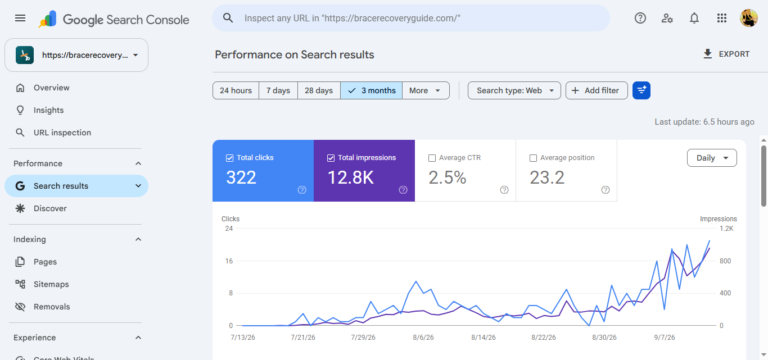
Step 1: Use Google Search Console
Open the Pages report under Indexing. Look for these statuses:
- “Duplicate without user-selected canonical”
- “Duplicate, Google chose different canonical than user”
- “Alternate page with proper canonical tag”
The first two need your attention. The third usually means things are working as intended.
Step 2: Run a Site Crawl
Tools like Screaming Frog, Sitebulb, or Ahrefs Site Audit flag pages with identical titles, headings, and content. Sort by “duplicate page titles” first. It is the fastest way to spot problem clusters.
Step 3: Search Google Directly
Copy a distinctive sentence from your page and search it in quotes. If other URLs show up, you have a duplication issue.
You can also use site:yourdomain.com "exact sentence" to find internal copies.
Step 4: Check for Copied Content
Run key pages through Copyscape or a similar plagiarism checker. This catches scrapers and copied manufacturer text.
The 6 Best Ways to Fix Duplicate Content
Here are six reliable methods to fix duplicate content SEO issues. Pick the fix based on why the duplicate exists, not just that it exists.
Fix 1: Add Canonical Tags (rel=”canonical”)
Canonical tags are the most popular way to fix duplicate content SEO problems caused by URL variations. A canonical tag tells Google which URL is the “master” version. Add it in the <head> of the duplicate page:
<link rel="canonical" href="https://yoursite.com/best-wireless-dog-fence/" />
Real-world example: You have one wireless fence review with three URLs because of tracking parameters. Point all three to the clean URL.
Pros
- ✓ Quick to implement, even on large sites
- ✓ Keeps the duplicate page accessible to visitors
- ✓ Consolidates ranking signals to one URL
Cons
- ✗ Google treats it as a hint, not a command
- ✗ Easy to misconfigure, such as canonicalizing to the wrong page
Fix 2: Use 301 Redirects
A 301 redirect permanently sends visitors and search engines from an old URL to the right one. For retired pages, it is the cleanest way to fix duplicate content SEO for good. Use it when the duplicate page has no reason to exist.
Common use cases:
- Merging two overlapping articles into one stronger guide
- Forcing
httptohttps - Choosing
wwwor non-wwwand redirecting the other
Pros
- ✓ Passes most link value to the destination page
- ✓ Fixes the problem permanently
- ✓ Stops visitors from landing on outdated pages
Cons
- ✗ Chains of redirects slow your site
- ✗ The old page disappears, so only use it for pages you don’t need
Fix 3: Use Noindex for Pages That Should Exist but Not Rank
Some pages are useful for visitors but pointless in search results, like internal search results, printer-friendly versions, or thin tag archives. Add a noindex meta tag:
<meta name="robots" content="noindex, follow" />
Pros
- ✓ Keeps the page available to users
- ✓ Clears index bloat
- ✓ Simple in most CMS plugins
Cons
- ✗ Doesn’t consolidate link value like a canonical or redirect
- ✗ Blocking the page in robots.txt and adding noindex prevents Google from seeing the tag
Fix 4: Rewrite and Differentiate Similar Pages
Rewriting is the slower but longer-lasting way to fix duplicate content SEO between similar guides. If you have separate pages for “dog fence for small dogs” and “dog fence for large dogs,” make them truly different. Cover weight limits, collar fit, correction levels, and boundary size separately.
Ask yourself: Would a reader gain anything from the second page that they didn’t get from the first? If not, merge them.
Pros
- ✓ Targets more search queries legitimately
- ✓ Improves content quality and trust
- ✓ Builds topical authority
Cons
- ✗ Time-consuming
- ✗ Requires real expertise, not just word swaps
Fix 5: Write Original Product Descriptions
Copying manufacturer text is the most common external duplicate in pet e-commerce. Fifty other stores use the same paragraph, so original descriptions help you fix duplicate content SEO across competing retailers.
Instead, add what only you can offer:
- Your own installation notes
- Photos from real yards
- Notes on how a collar fits breeds like Beagles or Huskies
- Honest limitations
Pros
- ✓ Sets you apart from competing retailers
- ✓ Builds E-E-A-T through first-hand experience
- ✓ Converts better because it answers real buyer questions
Cons
- ✗ Scaling across hundreds of products is hard
- ✗ Needs a consistent style and review process
Fix 6: Handle URL Parameters and Technical Variations
Filters, sorting options, session IDs, and tracking codes can generate endless URL versions of one page. Clean URL handling helps fix duplicate content SEO at the technical level.
Solutions include:
- Self-referencing canonical tags on every page
- Clean URL structures
- Consistent internal linking to the preferred version
- Avoiding parameter-based links in your navigation where possible
Pros
- ✓ Prevents duplicates from reappearing
- ✓ Saves crawl budget on larger sites
Cons
- ✗ Requires technical access or a developer
- ✗ Mistakes can accidentally hide good pages
Comparison Table: Which Fix Should You Use?
Use this table to choose the right way to fix duplicate content SEO for each scenario:
| Method | Key Highlight | Best For | Rating/Durability |
|---|---|---|---|
| Canonical Tag | Names the preferred URL without removing pages | Parameter URLs, similar variants | ★★★★☆ Strong, but only a hint |
| 301 Redirect | Permanently merges old and new URLs | Merged articles, HTTPS/www fixes | ★★★★★ Permanent, strongest signal |
| Noindex Tag | Hides pages from search results | Thin archives, internal search pages | ★★★☆☆ Good, but doesn’t pass value |
| Rewrite Content | Makes each page genuinely unique | Near-duplicate guides and product pages | ★★★★★ Best long-term, most effort |
| Original Descriptions | Replaces copied manufacturer text | Product and review pages | ★★★★☆ High impact, time-intensive |
| Parameter Handling | Controls URL variations at the source | E-commerce filters and tracking codes | ★★★★☆ Durable with correct setup |
Common Mistakes to Avoid
Even experienced site owners slip up when they try to fix duplicate content SEO errors.
- Canonicalizing everything to the homepage. Google may ignore it, and you lose rankings for deeper pages.
- Using noindex and a canonical on the same page. These send conflicting signals.
- Blocking duplicates in robots.txt. Google can’t read the canonical tag on a page it can’t crawl.
- Redirect chains. Page A to B to C wastes link value and slows loading. Point A straight to C.
- Mixing HTTP and HTTPS in internal links. One wrong link can recreate the duplicate.
- Spinning text with software. Auto-rewritten copy reads poorly and doesn’t fix thin content.
- Forgetting to update the sitemap. Only include your preferred URLs.
A Practical Duplicate Content Cleanup Plan
To fix duplicate content SEO across a whole site, work through this order:
- Audit: Crawl your site and export duplicate titles and descriptions.
- Group: Sort duplicates into clusters, such as parameter URLs, product variants, and overlapping articles.
- Decide: For each cluster, choose to merge, redirect, canonicalize, noindex, or rewrite.
- Implement: Make changes in small batches so you can track results.
- Update links: Point internal links and your XML sitemap to the preferred URLs.
- Monitor: Check Search Console after 2 to 4 weeks. Google needs time to recrawl.
For example, if you run a guide on boundary training, you might consolidate three similar posts into one comprehensive resource. Then add a link to your [Internal Link: invisible fence installation guide] so readers can take the next step.
How to Prevent Duplicate Content Going Forward
Fixing it once isn’t enough. The best way to fix duplicate content SEO long term is to stop new duplicates from appearing.
- Add a self-referencing canonical tag to every page
- Pick one URL format and enforce it with redirects
- Write unique content for every product and category
- Limit tag pages, or noindex them if they add nothing
- Run a quarterly site crawl
- When syndicating content, ask partners to link back or use a canonical tag pointing to your original
When you publish related topics, like [Internal Link: how to repair a broken boundary wire], make sure each article answers a distinct question instead of rephrasing the same advice.
Likewise, if you review several products, such as [Internal Link: best dog training collars], give each one a unique angle, whether that’s breed fit, battery life, or training style.
Frequently Asked Questions
Does duplicate content cause a Google penalty?
Usually not. Google says most duplicate content isn’t penalized. The real risk is that Google picks the wrong version to rank, or splits signals between copies. Manipulative or scraped duplication meant to deceive can lead to action.
How much duplicate content is acceptable?
There is no fixed percentage. Small overlaps like quotes, specs, or legal text are normal. Problems start when most of a page’s main content matches another page and adds nothing new.
Should I use a canonical tag or a 301 redirect?
Use a 301 redirect when the duplicate page isn’t needed. Use a canonical tag when both pages must stay accessible, such as parameter or filter URLs. If unsure, a redirect is the stronger signal.
How long does it take to fix duplicate content SEO issues?
Typically a few weeks. Google needs to recrawl and reprocess your pages. Larger sites can take a month or more. Track progress in the Search Console Pages report.
Final Thoughts
Learning to fix duplicate content SEO problems isn’t a disaster-level task. It’s a housekeeping job, and a manageable one.
Start with an audit, pick the right fix for each cluster, and write pages that earn their place with original, useful information. Do this consistently and your site becomes easier for both Google and readers to trust.
Pick one cluster of duplicate pages today and fix it. Small, steady cleanups add up to noticeable ranking gains.



One Comment