

How to Build Backlinks for a New Website (Step-by-Step Guide)
In this guide, I’ll show you how to build backlinks for a new website using safe, white-hat methods that still work in 2026. You’ll get practical steps, a tool comparison table, a 30-day action plan, and answers to the most common questions. I’m writing this from the same playbook I use for client projects at Shakeel Digital.
Why Backlinks Matter for a Brand-New Domain
A backlink is a link from another website to yours. Search engines treat these links as votes of confidence, and Google’s own documentation explains that links help it discover pages and understand which ones are worth showing. A new site starts with zero votes, so the sooner you build backlinks for a new website, the sooner Google can find, crawl, and trust your pages.
There is also a second benefit that people forget: referral traffic. A good link from a relevant blog doesn’t only pass authority, it sends real visitors who may become customers. That’s why every SEO roadmap I create for a launch includes a plan to build backlinks for a new website within the first month.
One more point before we start. Quality beats quantity every time. One relevant link from an industry blog is worth more than fifty links from random directories. Scores like Domain Authority (Moz) and Domain Rating (Ahrefs) are third-party metrics, not Google ranking factors, but they’re useful for comparing how strong different sites are.
What to Fix Before You Build Backlinks for a New Website
Outreach fails when the site isn’t ready. Before you build backlinks for a new website, make sure there is something worth linking to:
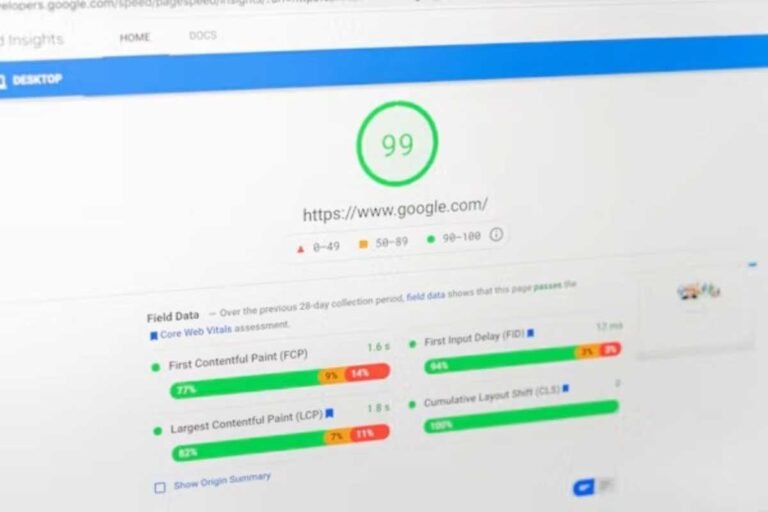
- A fast, mobile-friendly design. Slow or broken pages make people leave, and bloggers won’t link to them.
- Trust pages. A clear About page, Contact page, and author details support E-E-A-T (experience, expertise, authoritativeness, trustworthiness).
- Real content. Publish at least 8 to 10 helpful articles or service pages first.
- Search Console and Analytics. Connect both and submit your XML sitemap so you can track what happens next.
Think of it like opening a shop. You wouldn’t invite people to an empty room with the lights off.
Know Your Link Types First
To build backlinks for a new website safely, you need to understand what you’re collecting.
Dofollow links can pass ranking signals. Nofollow, sponsored, and UGC links carry rel attributes that tell Google how to treat them. They pass less or no direct value, but they still bring traffic and make your profile look natural. A healthy profile has a mix of all of them.
Anchor text is the clickable text of the link. Keep it varied: branded anchors (“Shakeel Digital”), naked URLs, partial-match phrases, and generic text like “this guide”. If most of your anchors are exact-match keywords, it looks manipulated, and that is a quick way to attract the wrong kind of attention.
10 Proven Ways to Build Backlinks for a New Website
These methods are ordered from easiest to most advanced. You don’t need all ten. Pick two or three and do them well.
1. Start With Trusted Business Profiles
Create your Google Business Profile (if you serve a local area), LinkedIn page, and listings in respected industry directories. These links rarely move rankings on their own, but they confirm your business is real. They are the easiest first step when you build backlinks for a new website, and they take less than a day.
2. Write Guest Posts for Relevant Blogs
Guest posting remains one of the most reliable link building strategies for beginners. Find blogs in your niche that accept contributions, study their best content, and pitch a topic they haven’t covered. If you build backlinks for a new website through guest posts, keep the content genuinely useful, link only where it fits, and avoid stuffing exact-match anchors into your author bio.
3. Try Broken Link Building
Find relevant pages that link to dead resources, then email the site owner with a working replacement, ideally your own content. A browser extension like Check My Links or the broken link report in a backlink tool makes this quick. It’s a favorite tactic to build backlinks for a new website because you’re helping the owner fix a problem instead of asking for a favor.
4. Use Digital PR and Expert Quotes
Journalist-request platforms such as Qwoted and Featured connect experts with reporters who need quotes. Answer quickly, be specific, and give a clear opinion. A single mention on a news or industry site can outweigh dozens of weak links when you build backlinks for a new website, and it also builds your brand name.
5. Create Linkable Assets
People link to things that save them time or prove a point: original surveys, free calculators, templates, checklists, and well-designed data visuals. Even a simple “2026 statistics” roundup for your niche can attract high-quality backlinks over time if it’s accurate and updated.
6. Study Your Competitors’ Backlinks
Use a backlink tool to find sites that link to two or three of your competitors but not to you. This is called a link gap analysis. The fastest shortcut to build backlinks for a new website is to copy what already works in your niche, then offer something better to the same publishers.
7. Pitch Resource Pages
Many sites keep pages called “useful resources” or “best tools”. Search for your topic plus those phrases, then suggest your page if it genuinely fits. Keep the email short, polite, and personal.
8. Join Podcasts and Interviews
Hosts need guests, and they almost always link to guest websites in the show notes. Being a guest is a low-competition way to build backlinks for a new website, and it positions you as an expert at the same time.
9. Reclaim Unlinked Brand Mentions
If someone mentions your brand without linking, send a friendly message asking them to add the link. These requests have a high success rate because the person already knows and values you.
10. Take Part in Communities
Answer real questions on Reddit, Quora, and niche forums. Most of these links are nofollow, so don’t expect a ranking jump, but they bring targeted visitors and brand awareness. Never spam, because moderators remove promotional posts quickly.
Best Tools to Build Backlinks for a New Website (Comparison Table)
You can do outreach manually, but the right tools save hours. These are the ones I’d consider if you want to build backlinks for a new website faster. Check each official site for current pricing, since plans change often.
| Tool | Best For | Key Feature | Ideal User | Link |
|---|---|---|---|---|
| Ahrefs | Backlink research | Large link index, link gap and broken link reports | Serious SEOs and agencies | [Affiliate link] |
| Semrush | All-in-one SEO | Backlink gap, outreach tool, site audit | Small teams needing one platform | [Affiliate link] |
| Moz Pro | Beginners | Link Explorer with Domain Authority and Spam Score | Newcomers on a tighter budget | [Affiliate link] |
| Respona | Outreach | Finds prospects and automates personalized emails | Link builders sending many pitches | [Affiliate link] |
| Hunter.io | Finding emails | Verifies contact emails for outreach | Anyone doing guest post pitches | [Affiliate link] |
| Check My Links | Broken links | Free browser extension that flags dead links | Beginners testing broken link building | Free |
| Google Search Console | Tracking | Shows who links to you, straight from Google | Every website owner | Free |
My recommendation: if budget is tight, start with the two free tools plus one paid research tool. Use Ahrefs or Semrush if you want deeper data, or Moz Pro if you’re just learning. Add Respona only after your outreach process already works manually. You don’t need every tool to build backlinks for a new website, you need a process you can repeat every week.
How Many Backlinks Should You Build Each Month?
There is no magic number, and anyone promising one is guessing. What matters is a natural pace. A brand-new site that suddenly gains hundreds of links in a week looks suspicious, while a handful of relevant links every month looks like real growth.
When you build backlinks for a new website, aim for steady progress: perhaps 3 to 10 quality links per month in the early stages, depending on your niche and how much time you can invest. Measure referring domains (unique websites linking to you) rather than raw link counts, because ten links from one site count far less than ten links from ten sites.
Mistakes to Avoid When You Build Backlinks for a New Website
Most beginners hurt themselves in the same few ways:
- Buying cheap link packages or using private blog networks. Google’s spam policies treat link schemes as a violation, and the risk isn’t worth it.
- Over-using exact-match anchors. It looks unnatural and creates a risky pattern.
- Chasing irrelevant sites. A link from an unrelated casino or coupon site can do more harm than good.
- Ignoring the website itself. Weak, thin content makes every outreach email harder.
- Mass link exchanges. A few natural partnerships are fine, but “link for link” at scale is a link scheme.
- Giving up too early. Link building is slow, and the first month rarely shows visible ranking changes.
Avoid shortcuts. If you want to build backlinks for a new website that lasts, every link should be one you’d be happy to show a human reviewer.
A 30-Day Plan to Build Backlinks for a New Website
Use this schedule to build backlinks for a new website without feeling overwhelmed:
- Week 1: Foundation. Set up Search Console, create your business profiles, and publish or polish your best pages. Run a competitor backlink check.
- Week 2: First outreach. Build a list of 20 relevant blogs. Send 10 personalized guest post or resource page pitches.
- Week 3: Value-first tactics. Find 10 broken links and send replacement offers. Apply for two podcast interviews or expert quote requests.
- Week 4: Review and repeat. Check which emails got replies, reclaim any unlinked mentions, and follow up politely once. Plan next month’s linkable asset.
How to Track Your Progress
Open the Links report in Google Search Console to see your top linking sites, then compare against a backlink tool for a fuller picture. Track referring domains, branded searches, referral traffic, and keyword rankings once a month.
Results take time. Most people who build backlinks for a new website need several months before they see a clear difference, so keep a simple spreadsheet of every pitch, reply, and live link. Patterns will show you which tactics are worth repeating.
Frequently Asked Questions
How long does it take to build backlinks for a new website?
Expect your first links within two to four weeks of consistent outreach, and visible ranking improvement after about three to six months. It depends on competition, content quality, and how many links you earn.
Can I build backlinks for a new website for free?
Yes. Business profiles, guest posts, broken link outreach, community participation, and unlinked mention requests cost nothing except time. Paid tools only make the work faster.
How many backlinks does a new website need?
There’s no fixed number. A few relevant, high-quality backlinks from trusted sites can beat hundreds of weak ones. Compare yourself with the top-ranking pages for your target keyword to set a realistic goal.
Do nofollow links help a new site?
They don’t pass the same direct signals, but they bring traffic, make your profile look natural, and can lead to dofollow links later when people discover your content.
Is buying backlinks safe?
No. Google’s spam policies treat paid links that pass ranking signals as a violation. Sponsored placements are acceptable only when they are clearly labeled and use the correct rel attribute.
Final Thoughts
Learning how to build backlinks for a new website is less about tricks and more about consistency. Create content worth linking to, reach out to the right people, stay patient, and avoid anything you wouldn’t be comfortable explaining to Google.
If you’d rather hand this off, Shakeel Digital offers SEO, web development, and web design for new and growing websites. Otherwise, start today: pick two tactics from this list and build backlinks for a new website one thoughtful outreach email at a time.





One Comment