How to Improve Core Web Vitals: A Practical Guide for Pet Safety Websites
Picture a worried dog owner. Their pup just slipped through a gap in the yard, and they’re searching on their phone for a fencing solution. They land on your page, and it takes five seconds to load. The images jump around, and the “Buy Now” button won’t respond.
They leave. Chances are they won’t come back.
That frustrating experience is exactly what Google’s Core Web Vitals measure. If you run a dog fencing company, a pet-proofing blog, or an online store for collars and containment systems, these metrics affect both your rankings and your sales. In this guide, you’ll learn how to improve Core Web Vitals step by step, without needing to be a developer.
Quick Answer: How Do You Improve Core Web Vitals?
To improve Core Web Vitals, compress and properly size images to speed up loading (LCP), cut heavy JavaScript to improve responsiveness (INP), and reserve space for images, ads, and fonts to stop layout shifts (CLS). Test with PageSpeed Insights, fix the biggest issues first, recheck after each change, and repeat monthly.

What Are Core Web Vitals?
Core Web Vitals are three metrics Google uses to judge real-world page experience. They measure how fast your page loads, how quickly it responds, and how stable it looks while loading.
To improve Core Web Vitals, you first need to know the “good” targets Google recommends:
- Largest Contentful Paint (LCP): How long the biggest visible element takes to load. Aim for 2.5 seconds or less.
- Interaction to Next Paint (INP): How quickly the page reacts when someone taps or clicks. Aim for 200 milliseconds or less.
- Cumulative Layout Shift (CLS): How much the page jumps around while loading. Aim for a score of 0.1 or lower.
INP replaced the older First Input Delay metric in 2024. If you read guides that still mention FID, they’re out of date.
Why They Matter for Pet Businesses
Core Web Vitals are one of several ranking signals. They won’t rescue thin content, but they can be the tiebreaker between you and a competitor. That’s why it pays to improve Core Web Vitals even if your content is already strong.
They also affect trust. Pet owners are often shopping in a moment of stress, such as a runaway dog, a broken wire, or a collar that stopped working. A fast, steady site feels reliable, and reliability is what you’re selling.
Step 1: Measure Before You Improve Core Web Vitals
Guessing wastes time. Start by finding out which pages are actually struggling.
Use these free tools:
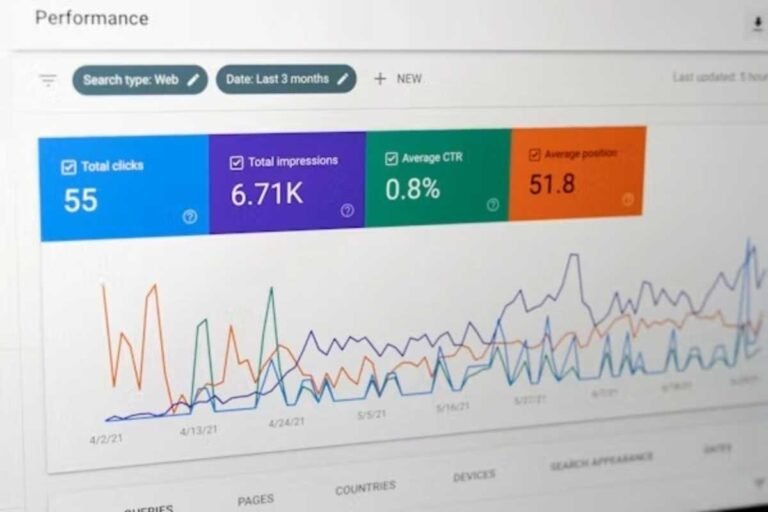
- Google Search Console (Core Web Vitals report): Shows real-user data grouped by “Good,” “Needs Improvement,” and “Poor.”
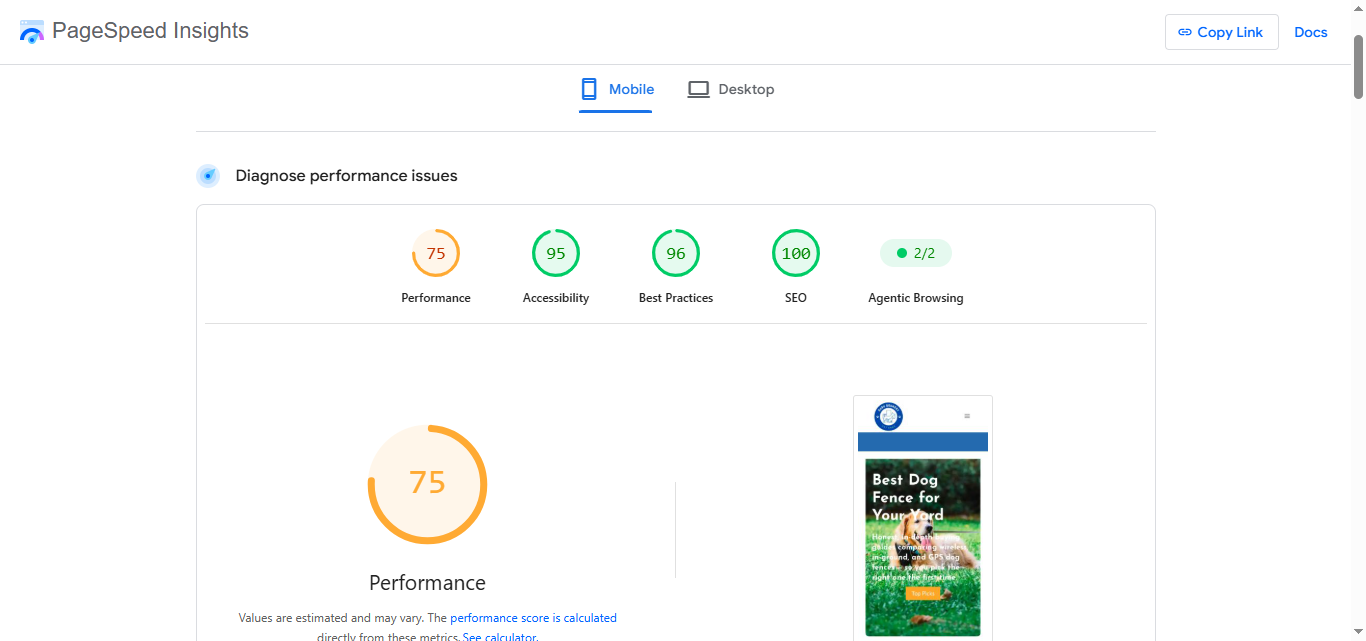
- PageSpeed Insights: Gives lab and field data for a single URL, plus specific suggestions.
- Chrome DevTools (Lighthouse): Useful for testing changes before you publish them.
Pro tip: Test your highest-traffic pages first. For most pet sites, that means your homepage, your top product page, and your most-read guide. Fixing three pages well beats fixing thirty pages poorly.
Also check mobile separately. Most dog owners search from their phones, often while standing in the yard, and mobile scores are usually lower than desktop.
Step 2: Improve Core Web Vitals by Fixing LCP
LCP is usually your hero image or the main headline block. On a dog fencing site, it’s often a big photo of a happy dog in a green yard. Beautiful, but heavy.
Fix Your Images
Images are the number one cause of slow LCP, so image work is the fastest way to improve Core Web Vitals on photo-heavy pet sites. Work through this checklist:
- Convert photos to WebP or AVIF formats, which are much smaller than old JPEGs.
- Resize images to the size they’re actually displayed. A 4000-pixel photo in an 800-pixel slot wastes bandwidth.
- Compress without visible quality loss. Most tools can cut file size by 50% or more.
- Never lazy-load your hero image. Lazy loading is for images below the fold, and delaying the main image makes LCP worse.
- Add
fetchpriority="high"to your main image so the browser loads it first.
Speed Up Your Server
Even perfect images load slowly on a sluggish server.

- Choose quality hosting. Cheap shared hosting is a common hidden culprit.
- Use a CDN (content delivery network) so visitors download files from a server near them.
- Enable caching so repeat visitors don’t reload everything.
Common Mistake
Many site owners install five different optimization plugins that fight each other. More tools don’t mean more speed. Pick one good caching solution and configure it properly.
Step 3: Fix INP to Improve Core Web Vitals on Mobile
INP measures what happens after someone clicks. Do they tap “Add to Cart” and get an instant response, or does the page freeze for a moment?
Poor INP almost always comes from too much JavaScript running at once.
How to Reduce JavaScript Drag
- Audit your third-party scripts. Chat widgets, pop-ups, analytics tags, and social feeds all add weight.
- Remove what you don’t use. If you haven’t checked a tracking tool in six months, delete it.
- Delay non-essential scripts until after the page loads or the visitor interacts.
- Break up long tasks. Developers can split heavy code into smaller chunks so the browser stays responsive.
- Keep your theme and plugins updated. Outdated code is often inefficient code.
Real-World Example
Imagine a pet store with an animated discount pop-up, a live chat bubble, and three ad trackers. Each one seems small. Together, they can make a “Buy Now” button feel dead for half a second. Removing just two of them can noticeably improve the response time.
Step 4: Reduce Layout Shift (CLS)
You’ve seen this one. You’re about to tap a link, the page shifts, and you tap an ad instead. Annoying, and Google measures it.
What Causes Layout Shifts
- Images without set width and height
- Ads or banners that load late and push content down
- Web fonts that swap in after the text appears
- Embedded videos or maps with no reserved space
- Cookie banners that appear above existing content
How to Fix Them
- Always define image dimensions in your HTML or CSS so the browser reserves the space.
- Reserve space for ads and embeds using a fixed-height container.
- Preload key fonts and use
font-display: swapcarefully, with a fallback font of a similar size. - Place banners and pop-ups so they overlay content or sit in reserved space instead of pushing the page around.
Layout shift is the easiest way to improve Core Web Vitals quickly, and it’s often the fastest win.
Comparison Table: Ways to Improve Core Web Vitals at a Glance
The ratings below reflect my general assessment of impact and long-term value. Results vary by site.
| Fix / Feature | Key Highlight | Best For | Rating / Durability |
|---|---|---|---|
| Image compression (WebP/AVIF) | Cuts file size dramatically without visible quality loss | Slow LCP on photo-heavy pages | ★★★★★ High impact, long-lasting |
| CDN (e.g., Cloudflare) | Serves files from servers near the visitor | Sites with visitors across regions | ★★★★☆ High impact, ongoing service |
| Caching plugin or server cache | Stores pages so they load instantly on repeat visits | WordPress and e-commerce stores | ★★★★☆ Strong, needs occasional tuning |
| Removing unused scripts | Frees the browser to respond faster | Poor INP scores | ★★★★☆ High impact, check after new installs |
| Set image dimensions | Stops content from jumping | High CLS scores | ★★★★★ Easy fix, permanent |
| Quality hosting upgrade | Faster server response for every page | Sites outgrowing budget hosting | ★★★★☆ Strong, recurring cost |
Pros and Cons of the Three Most Popular Fixes
Image Optimization
Pros
- ✓ Often the biggest LCP improvement for the least effort
- ✓ Free tools and plugins are widely available
- ✓ Improves mobile experience, saving visitors’ data
Cons
- ✗ Over-compression can make product photos look blurry
- ✗ Older browsers may need fallback formats
- ✗ Large existing libraries take time to process
Using a CDN
Pros
- ✓ Faster loading for visitors far from your server
- ✓ Adds some protection against traffic spikes
- ✓ Many providers offer a free tier
Cons
- ✗ Setup can be confusing for beginners
- ✗ Misconfiguration can cause caching problems
- ✗ Advanced features may add monthly cost
Cutting Third-Party Scripts
Pros
- ✓ Directly improves INP and overall responsiveness
- ✓ Reduces privacy and security risks
- ✓ Costs nothing
Cons
- ✗ You may lose features such as chat or heatmaps
- ✗ Marketing teams may resist removing tracking tools
- ✗ Requires regular audits to stay effective
Common Mistakes When You Improve Core Web Vitals
Even experienced site owners trip over these:
- Chasing a perfect 100 score. A score of 100 in a lab test doesn’t guarantee good real-user data. Focus on passing the thresholds.
- Testing only on desktop. Your mobile visitors have the real problem.
- Ignoring field data. Lab tests are a snapshot. Search Console shows what actual visitors experience.
- Fixing once and forgetting. Every new plugin, banner, or image can undo your progress.
- Expecting instant results. Search Console data is collected over a rolling 28-day window, so changes take a few weeks to show up.
A Simple Monthly Maintenance Routine
Core Web Vitals aren’t a one-time project. To improve Core Web Vitals for good, build a short monthly habit:
- Check the Core Web Vitals report in Search Console.
- Re-test your top three pages in PageSpeed Insights.
- Review any new plugins, widgets, or scripts you’ve added.
- Compress new images before uploading them.
- Note any dips and fix them before they spread.
Fifteen minutes a month is usually enough to stay ahead of problems.
Where to Start If You Feel Overwhelmed
If you feel overwhelmed about how to improve Core Web Vitals, start with the three fixes that deliver the most for the least effort:
- Compress your hero image and convert it to WebP.
- Add width and height attributes to every image.
- Remove one or two scripts you no longer need.
Do those three things this week, then check your scores. Small, steady progress beats a perfect plan you never finish.
Frequently Asked Questions
What is a good Core Web Vitals score?
A page passes when it meets all three targets: LCP under 2.5 seconds, INP under 200 milliseconds, and CLS under 0.1. Google evaluates these at the 75th percentile of real visits, meaning most of your visitors need a good experience.
Do Core Web Vitals affect SEO rankings?
Yes, but as one signal among many. Great content and relevance still matter most. Core Web Vitals can help when pages are otherwise similar, and they improve user experience, which supports conversions.
How long does it take to improve Core Web Vitals?
Lab tests like PageSpeed Insights update immediately. Real-user data in Search Console typically takes about 28 days to reflect your changes, so be patient after making fixes.
What is the fastest way to fix a poor LCP score?
Compress and resize your largest image, convert it to WebP, and make sure it isn’t lazy-loaded. Pairing that with caching and a CDN usually brings LCP into the “good” range.
Final Thoughts
A fast, stable website is a kind of customer care. When a pet owner is searching for a way to keep their dog safe, they shouldn’t have to wait or wrestle with a jumpy page. Fix the biggest problems first, measure the results, and keep up a simple maintenance habit.
Your rankings, and your visitors, will thank you.
Internal Linking Suggestions
- In the section on worried pet owners or hero images: [Internal Link: How Invisible Dog Fences Work]
- In the section on maintenance and reliability: [Internal Link: How to Find and Repair a Broken Fence Wire]
- In the section on shopping on mobile: [Internal Link: How to Choose the Right Dog Collar for Your Fence System]